Apps · NJ7 Consulting LLC
Paper Atlas
Your camera roll already knows every trip you've taken. Paper Atlas turns it into your travel map.
For iPhone and iPad. Free while it's new.

What it does
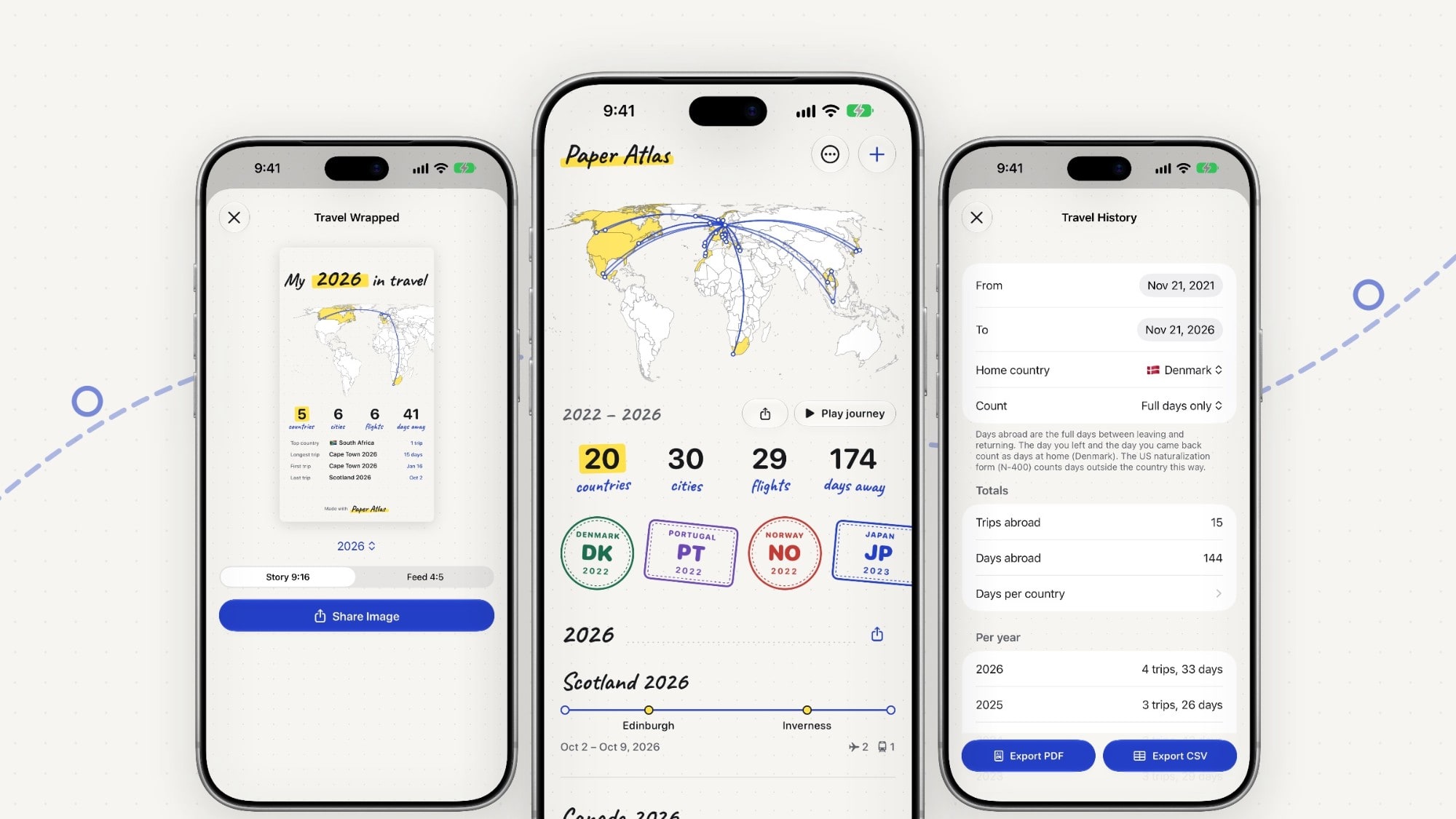
Finds your trips in your photos. Paper Atlas reads only when and where your photos were taken, never the pictures themselves, and suggests the trips you took. You confirm each one.
A hand-drawn map of everywhere you've been, with routes, countries, cities, flights, days away and a passport stamp for each country.
Travel Wrapped and journey videos: your year on one card, and your routes drawn across the map, ready to share.
Your travel history, when a form asks for it: every trip abroad with departure, return and days abroad, exported as PDF and CSV. Based on your photos and entries; not legal advice.
Private by design
No account, no sign-up, no ads, no analytics, no tracking. Your trips are stored only on your device. Maps are drawn with Apple Maps. Read the privacy policy.
Support
Something not working?
Email us at contact@nj7.ai with your iPhone or iPad model, the iOS version, and what happened. We usually reply within two working days.
How does "Find Trips in Photos" work?
With your permission, Paper Atlas looks at the date and location of each photo in your library, on your device, and groups them into trips. It never reads the images themselves. You review every suggestion before anything is saved.
What is Trip Logging?
An optional feature, off by default, that you switch on in the More menu. It uses iOS visit monitoring to suggest finished trips with exact travel days. Each visit is reduced to the nearest town and stored on your device. It needs "Always" location access because visits arrive while the app is closed. You can switch it off at any time.
How do I back up or move my trips to a new phone?
More → Backup saves everything to a single .paperatlas file, which you keep wherever you like (Files, iCloud Drive, AirDrop to your Mac). On the new device, open Backup and choose Restore. Backups from earlier versions (.travelog) restore too.
Can I export my data?
Yes. More → Export CSV exports all trips, and Travel History exports a PDF and a CSV of every trip abroad.
How do I delete my data?
Delete trips in the app, or delete the app to remove everything it stored on your device. We hold no copy, so there's nothing to delete on our side.
Is it free?
Everything in Paper Atlas is free for now. A later update will add a one-time purchase, and the free version will then hold fewer trips. Trips you've saved stay yours either way. No subscription, ever.
Paper Atlas is made by NJ7 Consulting LLC. Place names: GeoNames (geonames.org), CC BY 4.0. Country outlines: Natural Earth.